FreeBSD
I have known about BSD ever since I got into GNU/Linux. I remember going and trying BSD and different Linux Distros and even SUN systems. Just looking at how things worked. This was about a decade ago…
I think there is a revival of more niche OS’s since GNU/Linux is splintered in more than 1 way. But the largest debate by far is systemd. There are two camps. Those that enjoy systemd (or don’t care) and those that don’t like systemd. I don’t really care, but I do enjoy simplicity and systemd is anything but. I did look at VOID Linux. Which does get rid of systemd, but then I thought, why not try a *BSD?
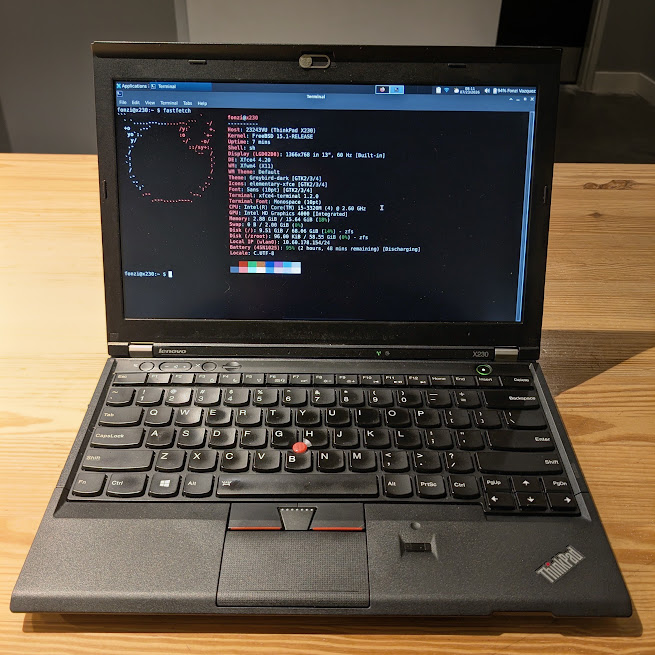
So I did. And here we are. Turns out installing it was pretty easy on a Thinkpad X230. I’m using it as my daily driver now for my netbook that I toss around, not my main laptop.
Why it’s awesome
First, Why FreeBSD and not OpenBSD. Well my first exposure to a desktop OS running BSD when starting this project, was actually NomadBSD a great way to try it out. I tried it, runs XFCE which is great and figured I might as well try the other ones.
Besides the cool logo of FreeBSD, it has a built in feature that I really enjoy and need. JAILS.
That’s right, how cool is it that I can keep daemons in Jails? Also it has Linuxulator. Which allowed me to set up this netbook as a daily driver.
The biggest issue I have with BSD systems is that I’m deep into GNU/Linux and protonmail. Protonmail has a bridge which allows communication between their servers and a desktop email client that is encrypted and secure. However, protonmail does not have a BSD installer. Only GNU/Linux. This is where Linuxulator comes in.
So, I needed GNU/Linux on BSD, so I went ahead and setup a Ubuntu Jail at /compat/ubuntu, thinking that would be enough and quick. It wasn’t. The default FreeBSD linux jail, is a lightweight. Turns out that protonmail bridge is bloat (LOL). I did pull the deb file into the jail and it failed to install with a bunch of missing libraries. After a quick search, turns out that I could just add more items to the sources.list to get the full Ubuntu experience (so I did, even though I’m sure there is a better way to do this). I went ahead and added the full archives (Universe, Multiverse, and Restricted) just to get the deb file to compile and install.
chroot /compat/ubuntu /bin/bash # drops you into the jail instance

root@x230:/# cat /etc/apt/sources.list
deb http://archive.ubuntu.com/ubuntu jammy main
deb http://archive.ubuntu.com/ubuntu jammy main universe multiverse restricted
deb http://archive.ubuntu.com/ubuntu jammy-updates main universe multiverse restricted
deb http://archive.ubuntu.com/ubuntu jammy-security main universe multiverse restricted
I spent the next few hours trying to figure out why proton bridge cli would quit when I threw it on a script to auto-start on boot. Turns out that protonmail bridge cli, is waiting on a terminal session to be opened. So having it through a script it would always crash. I even tried having a TMUX instance auto start, but I still had to open the terminal and switch over to the jail and continue before I could get my emails flowing into Thunderbird/Betterbird.
So why did I need bridge? Why not use Hydroxide like everyone else in *BSD, well because I have split emails through proton: @fonzi.xyz @bison.software @protonmail. I need these to be compartmentalized. I then can decide which domain to listen and get notifications for, I can pick one domain and just mute the rest. Hydroxide does not offer domain splitting, plus if I’ve learned anything the most likely hacks done in third parties apps, that use an upstream service and leaks happen. So I had to find a real solution.
Finally, after hours of pulling my hair, and staying up until 4:00AM. I found a small reddit thread. by the user u/Salonique. The function he found is amazing. Turns out that there is a tool called unbuffer which is part of the expect package. apt install expect. Finally I got the bridge to listen to a pseudo terminal that would auto start and not crash. I did strip the passphrase of the GPG key so that the bridge can self start. It’s on local and not a server so i’m not too worried about not having a passphrase there. I ended up writing a quick script and added it to the rc.conf and it auto boots now quietly.
Now, I’m 100% automated. But the irony isn’t lost on me: I moved to FreeBSD to not use linux, only to spend hours to put linux in a Jail and an app running inside that cage. But now I have an inbox that I can use and mute on any of the domains. And it’s all running on a 12 year old Thinkpad. That should say how awesome the virtualization of a jail is and how much more superior it is than docker for this use case.
Scripting the magic
In the example below you can spot the unbuffer command working it’s magic. And to get this script working, all that is needed is to add the following line in rc.conf.
# Protonmail Bridge
protonbridge_enable="YES"
fonzi@x230:~ $ cat /usr/local/etc/rc.d/protonbridge
#!/bin/sh

# PROVIDE: protonbridge
# REQUIRE: LOGIN DAEMON NETWORKING linux
# KEYWORD: shutdown

. /etc/rc.subr

name="protonbridge"
rcvar="protonbridge_enable"

load_rc_config $name

: ${protonbridge_enable:="NO"}

# --- Configuration ---
# Trying 'proton-bridge' which is often the main engine binary
REAL_BINARY="/usr/lib/protonmail/bridge/proton-bridge"
JAIL_PATH="/compat/ubuntu"
pidfile="/var/run/${name}.pid"
logfile="/var/log/protonbridge.log"

bridge_start()
{
    echo "Starting Protonmail Bridge engine..."
    # -o captures the output to our log file
    /usr/sbin/daemon -f -p ${pidfile} -o ${logfile} \
        /usr/sbin/chroot ${JAIL_PATH} \
        /usr/bin/env HOME=/root TERM=xterm \
        /usr/bin/unbuffer ${REAL_BINARY} --cli --no-window
}

bridge_stop()
{
    echo "Stopping Proton Mail Bridge..."
    pkill -f "proton-bridge"
    [ -f ${pidfile} ] && rm ${pidfile}
}

start_cmd="bridge_start"
stop_cmd="bridge_stop"

run_rc_command "$1"
*BSD Apps
Another great thing about FreeBSD is that there is software ports. Basically, a bunch of GNU/Linux apps have been ported over to BSD, and they work mostly out of the box. There are some that fail, such as vscode. Which I had to manually compile on the thinkpad. Only took about 24 hours. Due to electron, but got it working. Now this blog entry was written in FreeBSD and VSCode.
FreeBSD Documentation
By far, the best part of FreeBSD, it has to be stated, the best kept-secret. DOCUMENTATION, glorious documentation. I read through the docs, felt like I was an expert, clearly not. But take into account what I accomplished in the first 8 hours of FreeBSD (and of course having linux knowledge helped a lot). Installed the OS, setup XFCE, setup most packages I need, setup the proton bridge fiasco from above, and started to compile VSCode and installed hugo ahead of time to generate the HTML for this site itself. That was all thanks to the documentation. What other OS can you hop on and learn about how it all works from top to bottom in a single documentation source? That’s the real power behind a single dev team behind a full OS not just a kernel. And the package manager? pkg install {insert name} this looks for ports too if you set that up.
The not so awesome.
Well, like everything it has pros and cons, what don’t i like about FreeBSD, well to be honest. It’s an OS that is a lot smaller, so many hardware limitation still exists, it’s not like linux where any machine will just work out of the box. Sure you can get it working, but if you’re not into tech and tinkering or running a server, then yeah that is a downside.
Another thing. Once you get used to sudo in linux it’s a bit jarring to have to hop into the root account with su - every time to do anything, although I think there is a way to do sudo, I have just not set it up, but i’m trying to do it the *BSD way.
I do know that there is a doas option, however, it’s not configured by default? At least not on my install, maybe I missed something.
The Logo.
Yep, I like their logo so much, I figured it required it required own small section. How cool is it to see a fun little devil that does the work behind the OS. And his name is Beastie how cool is that lore behind daemons in computing. If you know you know.
               ,        ,
              /(        )`
              \ \___   / |
              /- _  `-/  '
             (/\/ \ \   /\
             / /   | `    \
             O O   ) /    |
             `-^--'`<     '
            (_.)  _  )   /
             `.___/`    /
               `-----' /
  <----.     __ / __   \
  <----|====O)))==) \) /====
  <----'    `--' `.__,' \
               |        |
                \       /
           ______( (_  / \______
  (FL)   ,'  ,-----'   |        \
         `--{__________)        \/   "Berkeley Unix Daemon"
Will I switch to *BSD?
I’m not sure yet. But everything is pointing to a yes. I have been curious about other OS’s other than just GNU/Linux. However I still very much enjoy GNU/LINUX. I will more than likely continue testing the OS and see if I run into any other bottle necks. There is something magical about getting an OS and figuring out how things work and doing it yourself. Such as the protonmail bridge stuff above. It reminds me of 2008/2009 when I got my first Ubuntu CD in the mail from the UK directly from Canonical. Not everything was fully figured out and doing it yourself keeps the spirit of learning and tinkering alive and well after all these years.
Performance
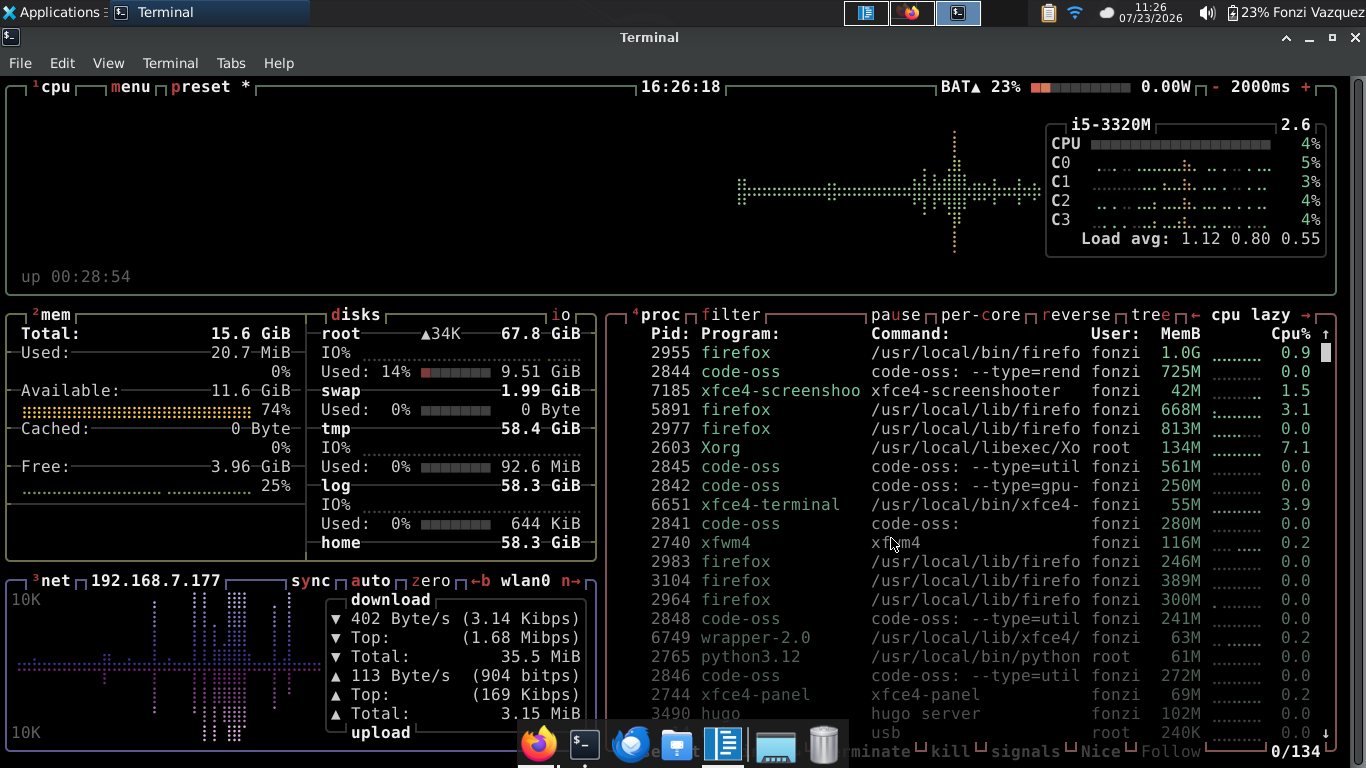
It’s worth considering how well *BSD performs on this thinkpad. I am running apps that require very little resources. VSCode is the heaviest I’d say. So here’s a btop screenshot at idle. You can see that there’s barely any resources getting used. We’ll see how it holds as the system grows and then it’ll most likley be bad app development instead of the OS’s itself.